Simple TikTok banners
A softer photo or a quiet black-and-white graphic can change your whole profile. These simple TikTok banners keep one visual idea across a complete three-post row.
Simple & minimalist picks
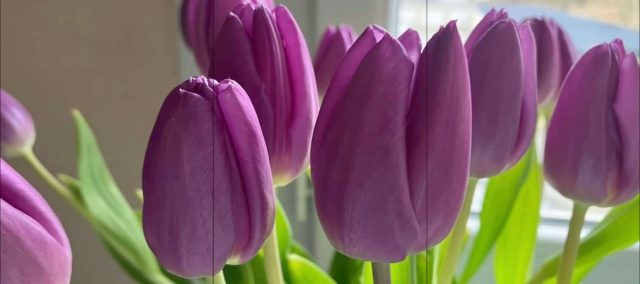
Two complete three-post banners: purple tulips in soft light and monochrome pixel stars. Open a preview for the creator's original posts and numbered repost order.

Keep your profile simple
Soft florals & quiet light
Purple tulips and a softly lit background give your row a gentle focal point. Preview the joined picture before reposting so the stems and petals stay in order.
Black & white pixel stars
A small set of repeated shapes and a two-color palette can feel simple without being plain. The glowing stars also suit a restrained Y2K or retro profile.
One idea across the row
Choose one subject or motif rather than several competing pictures. Leave space around a face, flower or shape, and check that it remains readable in the smaller profile preview.
Make your own minimalist banner
Upload a photo or illustration to the free TikTok Banner Maker. Choose three tiles for one row, or six or nine when your picture needs more room. Adjust the crop, then save and publish the numbered pieces in order.
Before you post
What makes a TikTok banner simple or minimalist?
One clear subject, a limited palette and an uncluttered background help a banner feel simple. Soft floral photos and black-and-white graphics offer two different ways to create that look.
Are these three-post banners or nine-tile grids?
Both picks on this page are complete three-post banners. Open a card to see the individual originals, then repost the right piece first, followed by the middle and left. The maker also supports your own six- and nine-tile designs.
Can I make a minimalist banner with my own photo?
Yes. Choose a photo with one main subject and a quiet background, upload it to TikTok Banner Maker and preview the cuts. Download the pieces and use the numbered publishing list to keep them in order.
Using an existing banner? Follow its numbered TikTok links. For your own image, read the posting and pinning guide.
Make your own banner
Turn your favorite image into a 3-, 6- or 9-tile profile grid.