Winter aesthetic TikTok banners
Set a quiet winter mood with a foggy snow path or a snowy Minecraft pine forest. Preview the joined grid before choosing the winter TikTok banner that fits your profile.
Winter aesthetic picks
Download six videos and matching covers for Snowfall in the Mist, or open the three original TikTok posts for Minecraft Winter Pines.
Find your snowy winter look
Snowfall and fog
Soft monochrome snow scenes, a church spire and bare winter trees unfold across the six-square video grid. Use the matching covers to keep the snowy path aligned across the two rows.
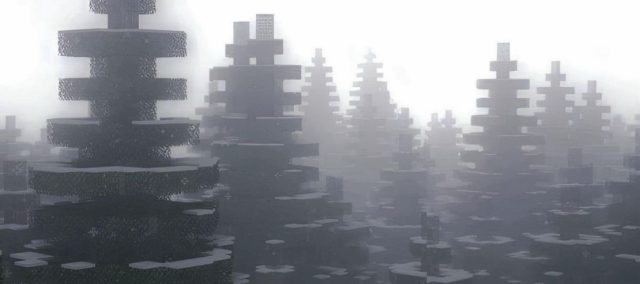
Minecraft winter pines
A misty line of snow-covered evergreens runs across three portrait covers. Follow the original posts in the numbered order to reassemble the game landscape.
Make your own winter banner
Choose a snowy scene with an easy-to-read silhouette. Use the image splitter for a still photo or the video banner maker for a moving scene. Preview where the grid crosses the trees and path.
Before you post
How do I post a winter TikTok banner?
For Winter Pines, open the three original reposts in order from right to left. For Snowfall in the Mist, download six numbered videos and covers, then post them starting at the bottom right. Reposting the credited animation adds one video.
What colors work well for a winter aesthetic banner?
Try frosted whites, gray shadows and muted evergreen tones. Keep a clear difference between the snow and the trees so the scene reads on a small profile grid.
Which layout should I choose?
A single row works well for a wide forest panorama. Two rows give falling snow, trees and a winding path room to move across the six-square animation.
For a repost design, follow its numbered TikTok links. For your own image, read the posting and pinning guide.
Make your own banner
Turn your favorite image into a 3-, 6- or 9-tile profile grid.